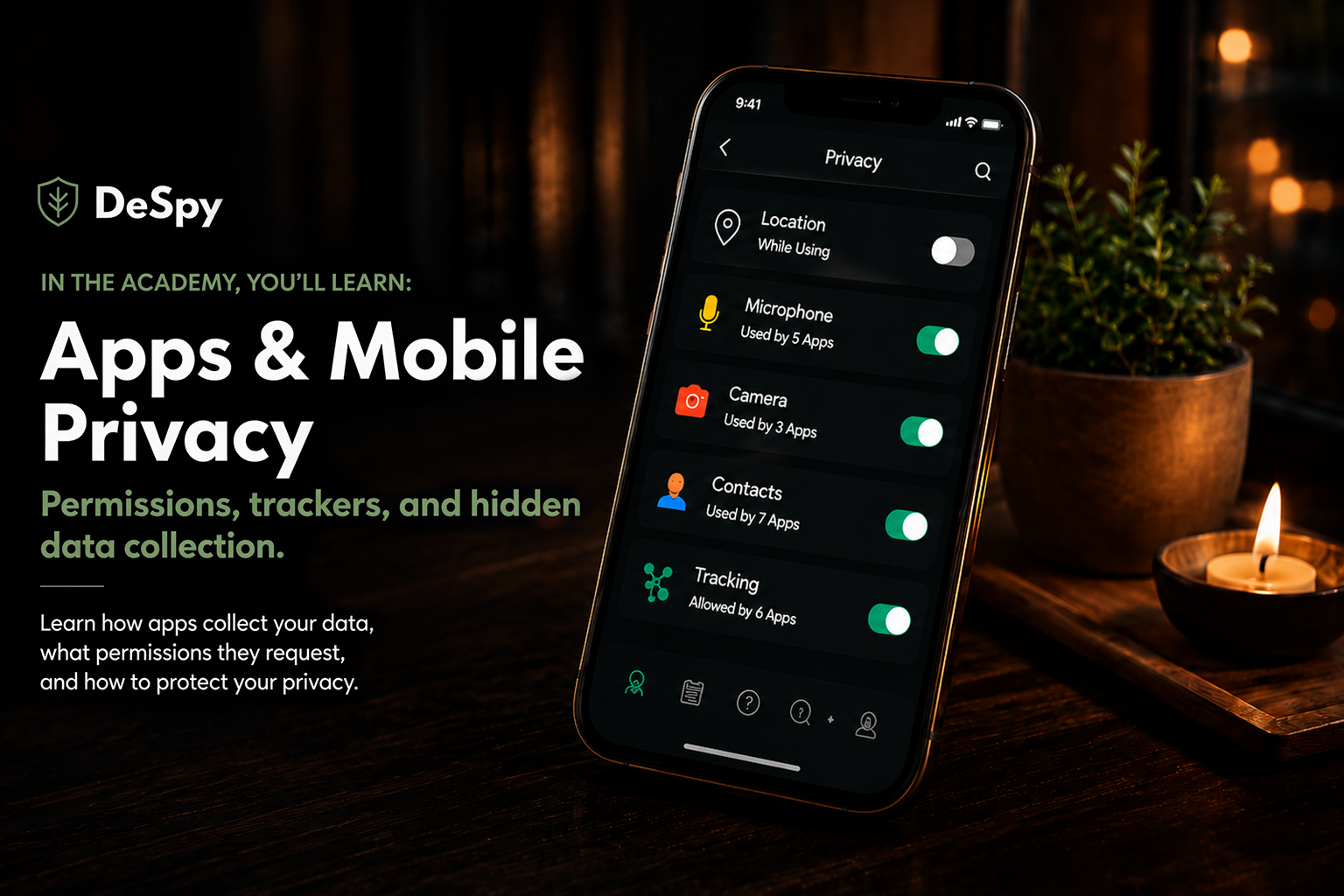
Apps & Mobile Privacy
Permissions, trackers, and hidden data collection.
Lesson 1 of 6 · Estimated read: 12 minutes · Level: everyone
Your phone knows where you sleep, who you talk to, when you wake up, and what you were curious about at 2 a.m. That isn’t a metaphor. It’s a description of data that exists, in databases you’ve never heard of, attached to an identifier that points at you.
The good news: almost all of it is controllable. This lesson covers how the collection actually works, then exactly what to change.
In this lesson
- How apps collect and use your data
- Understanding app permissions
- Tracking technologies and hidden trackers
- Location, microphone, and camera access
- Ad identifiers and data sharing
- Securing your mobile devices
- Tools to take control of your privacy
1. How apps collect and use your data
The basics
When you install an app, you’re rarely installing just that app. Most apps are assembled partly from SDKs: prebuilt code packages from other companies that handle things the developer doesn’t want to build from scratch, like crash reporting, analytics, login buttons, ads, push notifications, and maps.
Each SDK runs inside the app with the app’s permissions. If the app can see your location, so can every SDK inside it.
Go deeper
- A typical free consumer app carries somewhere between five and twenty third-party SDKs. Games and free utilities sit at the high end.
- SDK vendors often pay developers to include their code, or give it away free in exchange for the data flow. For a small developer, “free analytics” is a real budget line, and the price is your data.
- Data leaves your phone in three shapes: content (what you typed, uploaded, watched), metadata (when, how long, how often, from where), and identifiers (which device, which person). Metadata is usually the most revealing per byte and the least regulated.
What most people don’t know
Even well-intentioned developers may not have complete visibility into every data element transmitted by the third-party SDKs included in their applications. That’s part of why App Store and Play Store privacy labels have limits: they’re self-reported and not independently audited. A developer completing one in good faith is describing what they understand their app to do.
The practical consequence: a privacy label or policy tells you about the developer’s intentions, which is genuinely useful, but it isn’t a measurement of the app’s behavior.
Do this today
- Prefer paid apps over free ones in the same category. A one-time $3 purchase removes the incentive that funds most tracking.
- Prefer apps from companies whose business is the app, not advertising.
- Before installing, check whether the mobile site does the same job. A browser tab with content blocking leaks far less than a native app.
2. Understanding app permissions
The basics
Permissions are the prompts you tap through: allow location, allow contacts, allow photos. They govern access to a specific list of sensitive resources. On modern iOS and Android, you can grant, deny, or scope most of them at any time, and change your mind later.
Go deeper
- Grant the narrowest option available. “While Using the App” beats “Always.” “Selected Photos” beats “All Photos.” “Approximate” beats “Precise.”
- Android automatically revokes permissions from apps you haven’t opened in a few months. Useful, and also a hint: an app that needed a permission continuously would have prompted you again.
- Denying a permission is not the same as an app being unable to function. Many apps will ask, accept a refusal, and work fine. Test it. You can always grant later.
What most people don’t know
The most revealing sensors on your phone have no permission prompt at all.
The accelerometer, gyroscope, magnetometer, barometer, and ambient light sensor are treated as non-sensitive, so any app can read them silently. Published research has shown these streams can be used to infer what you’re typing on the on-screen keyboard, identify you by your walking gait, detect which floor of a building you’re on, and correlate two devices sitting on the same table.
Likewise unprompted: your device model, OS version, screen dimensions, locale, timezone, battery level, storage size, network carrier, and whether you’re on Wi-Fi or cellular. Individually, boring. Combined, a fingerprint, which is section 3.
The takeaway isn’t panic. It’s that the permission dialog defines the edge of the visible, not the edge of what’s collected. Everything below that line is invisible by design.
Do this today
- iOS: Settings → Privacy & Security. Walk each category and see the full list of apps per permission.
- Android: Settings → Security & privacy → Privacy → Permission manager. Same idea, organized the same way.
- Delete apps you haven’t opened in six months. Uninstalling is the only permission revocation that’s total.
3. Tracking technologies and hidden trackers
The basics
Tracking doesn’t require a cookie or an ID you can reset. It only requires that a company can recognize you again next time. There are two families: stable identifiers they assign you, and fingerprints they derive from your device’s characteristics.
Go deeper
- Device fingerprinting takes those unprompted signals, including screen size, fonts, GPU model, timezone, and dozens more, and hashes them into a value that is stable and often unique. You can’t clear it, because there’s nothing stored on your phone to clear.
- In-app browsers. When you tap a link inside a social app and it opens in that app’s own browser rather than Safari or Chrome, the host app can inject JavaScript into the page you’re viewing. Independent research in 2022 documented major social apps doing exactly this. Your content blockers, extensions, and browser privacy settings do not apply in there.
- Third-party keyboards with “full access” enabled can, technically, see every keystroke in every app. If you use one, use one you’d trust with your banking password, because you are.
- Ultrasonic beacons. Audio tones above human hearing, embedded in TV ads or played in retail stores, picked up by apps with microphone access to link your phone to a screen or a physical location. Requires mic permission, which is why section 4 matters.
What most people don’t know
Push notification tokens are identifiers, and the notification pipeline is a surveillance surface.
Every push notification your phone receives routes through Apple or Google, tagged with a token that identifies your device and app install. In late 2023, a U.S. senator’s inquiry revealed that governments had been requesting this push notification metadata from both companies: records of which apps were pushing to which device, and when.
Most security-conscious people have thought hard about their messaging app’s encryption and never once about the fact that a notification arriving is itself a logged event at a third party.
Do this today
- Open links in your real browser. In social apps, long-press a link and choose “Open in Safari” / “Open in Chrome,” or check the app’s settings for an in-app-browser toggle.
- Turn on Private Relay (iCloud+) or a reputable DNS-level blocker to reduce tracker reachability.
- Review third-party keyboards. Use the built-in one unless you have a strong reason.
- For sensitive apps, disable notification previews on the lock screen.
4. Location, microphone, and camera access
The basics
These three are the ones people fear, and the fear is correctly aimed but often misdirected. Camera and microphone abuse by mainstream apps is rare and loud, because modern phones show an indicator light or dot whenever either is active. Location is where the actual industrial-scale harvesting happens, quietly and legally.
Go deeper
- On iOS, a green dot means camera, orange means microphone. On Android, the same indicators appear in the status bar. If they appear when you’re not expecting them, investigate.
- Both platforms let you kill mic and camera access globally, per app, permanently. Very few apps genuinely need either.
- Location has more granularity than people use. On iOS, turning off Precise Location gives the app a general area, a region miles across updated roughly hourly, which is plenty for weather and useless for tracking your commute.
What most people don’t know
There is a wholesale market in app-derived location data, and regulators have started dismantling parts of it.
The pattern: an SDK vendor pays app developers to embed location-collecting code. The vendor aggregates location from hundreds of apps and millions of devices, then sells it to advertisers, retail analytics firms, hedge funds, and government agencies that would otherwise need a warrant. In January 2024 the FTC brought enforcement actions against two such data brokers, restricting their sale of sensitive location data, including visits to health clinics and places of worship. Separately, in 2024 the FCC fined the major U.S. carriers roughly $200 million collectively for mishandling customer location data. Your carrier is a second, independent source that no app setting touches.
Also worth knowing: denying location permission does not make you unlocatable. Your IP address gives city-level location to every server you contact. Nearby Wi-Fi network names, Bluetooth beacons, and barometric pressure are all location proxies. Permission denial removes the precise, cheap, continuous feed. That’s a large win, not a disappearance.
Do this today
- Set every app to “While Using” or “Never.” Reserve “Always” for something with a concrete reason, like a fitness tracker or a find-my-device tool.
- Turn off Precise Location for anything that isn’t navigation.
- Audit which apps have microphone access and remove all of them that aren’t a phone, messaging, recording, or music-recognition app.
- iOS: Settings → Privacy & Security → Location Services → System Services → and turn off Location-Based Ads and Significant Locations if you don’t want that history kept.
5. Ad identifiers and data sharing
The basics
Both platforms assign your device an advertising ID, Apple’s IDFA and Google’s AAID. It’s a resettable number designed to let advertisers recognize you across apps without knowing your name, and it’s the spine of the mobile ad economy.
Go deeper
- iOS: since 2021, apps must ask permission before accessing the IDFA. Deny it and they get nothing.
- Android: you can delete your advertising ID outright. When you do, apps requesting it receive a string of zeros.
- Separately from third-party tracking, Apple and Google each run their own ad personalization using your data, controlled by a different toggle most people never find. Turning off app tracking does not turn this off.
What most people don’t know
Real-time bidding broadcasts your data far more widely than any single app’s data-sharing ever could.
Every time an ad slot loads in an app, a bid request goes out describing the opportunity: your advertising ID, your IP address, often your coarse or precise location, your device details, and a category for the content you’re viewing. It goes to dozens or hundreds of potential bidders simultaneously. Nearly all of them lose the auction, and every one of them still received and can retain the data. This happens billions of times per day.
Nothing was breached. No one exceeded their permissions. It is simply how the system is built.
And the second half, the part that dissolves the word “anonymous”: an advertising ID paired with a precise location trace is not anonymous in any meaningful sense. A trace showing a device that sleeps at one address every night and sits at one office every weekday identifies a person, because those two facts together match almost exactly one human being. Re-identification is a lookup, not a hack.
Do this today
- iOS: Settings → Privacy & Security → Tracking → turn off “Allow Apps to Request to Track.” Then Settings → Privacy & Security → Apple Advertising → turn off Personalized Ads.
- Android: Settings → Security & privacy → Privacy → Ads → Delete advertising ID.
- If your state has a privacy law (many now do), you can send deletion and opt-out requests to data brokers directly. Some states maintain a broker registry, and California offers a one-stop deletion mechanism.
6. Securing your mobile devices
The basics
Most people picture mobile compromise as a sophisticated remote attack. For nearly everyone, the realistic threats are far more ordinary: someone who knows your passcode, an account takeover, or a phishing link. Defend against those first.
Go deeper
- Update promptly. The overwhelming majority of real-world mobile exploitation uses vulnerabilities that were already patched. Automatic updates are the single highest-value setting on your phone.
- Six digits minimum, and don’t let anyone watch you type it. A shoulder-surfed passcode defeats every other control you have.
- Protect the account, not just the device. Your iCloud or Google account holds your messages, photos, backups, and location history. Someone with those credentials doesn’t need your phone. Use a unique password and a hardware key or app-based two-factor, not SMS, which is defeated by SIM swapping.
What most people don’t know
The most common form of mobile spying installs nothing on the phone.
Commercial “stalkerware” gets attention, but it usually requires physical access and often leaves traces. The quieter and far more common pattern is credential-based monitoring: a partner, parent, or ex who knows your iCloud or Google password and simply reads your synced data from their own device. Nothing to detect on your phone, because nothing is on your phone.
Adjacent to this: family-sharing features, location-sharing links you set up years ago and forgot, and shared Apple/Google accounts on a family plan. If you’ve ever had reason to worry about someone specific, audit the device list and sharing settings on your account before you audit your apps.
Do this today
- Turn on automatic OS updates.
- Review the list of devices signed into your Apple or Google account. Remove anything you don’t recognize.
- Review who you’re sharing location with, and any active sharing links.
- Enable two-factor with an authenticator app or hardware key.
- Encrypt your backups. On iOS, consider Advanced Data Protection to end-to-end encrypt iCloud contents.
7. Tools to take control of your privacy
The high-leverage moves, ranked
Not all controls are equal. In rough order of protection gained per minute spent:
- Delete apps you don’t use. Removes collection at the source.
- Disable app tracking / delete your advertising ID. Breaks the primary cross-app link.
- Set all location to “While Using” and turn off Precise. Cuts off the most valuable data stream.
- Turn on automatic updates. Closes the door most attacks walk through.
- Secure the cloud account with strong two-factor. Protects the copy of everything.
- Turn off Apple’s and Google’s own ad personalization. Two toggles, easy to miss.
- Add a DNS-level tracker blocker or Private Relay. Reduces what reaches trackers at all.
Built-in tools worth knowing
- App Privacy Report (iOS) and Privacy Dashboard (Android) show which apps accessed which sensors and which domains they contacted. This is the closest thing to seeing the traffic yourself, and it’s already on your phone. Turn it on, then check it in a week. The domain list is usually the moment this lesson becomes real for people.
- Lockdown Mode (iOS) hardens the device aggressively at the cost of some functionality. Built for people facing targeted threats, not general use.
- Advanced protection modes on newer Android versions bundle similar hardening into one switch.
The honest limits
A VPN hides your traffic from your network and your IP from servers. It does not stop an app you’ve granted permissions from collecting and transmitting your data. That data leaves through the tunnel intact. VPNs are widely marketed as privacy tools and are mostly network-security tools. Some free VPN apps are themselves data collection businesses.
Similarly: incognito mode is local-history-only, “clearing cookies” doesn’t touch fingerprints, and no setting on your phone affects what your carrier records.
Recap
- Apps are assemblies of third-party code; the developer’s intentions aren’t the same as the app’s behavior.
- Permission prompts show you the sensitive edge, not the whole surface. Motion sensors and device characteristics need no permission.
- Tracking survives ID resets through fingerprinting.
- Location is the highest-volume commercial harvest, and precise location plus an ad ID is not anonymous.
- Real-time bidding distributes your data to hundreds of companies per ad, by design.
- Your cloud account is a bigger target than your phone.
- Deleting unused apps and narrowing location are the two best minutes you’ll spend.
Key terms
- SDK: third-party code bundled inside an app, running with the app’s permissions.
- Metadata: data about your activity rather than its content; usually more revealing per byte.
- Fingerprinting: identifying a device by its combination of characteristics rather than a stored ID.
- IDFA / AAID: Apple’s and Google’s advertising identifiers.
- Real-time bidding (RTB): the automated auction that broadcasts your data to many bidders per ad slot.
- Data broker: a company that buys, aggregates, and resells personal data, usually with no direct relationship to you.
- Re-identification: matching supposedly anonymous data back to a named person.
Check your understanding
1. You deny an app location permission. Can it still learn roughly where you are? Yes. Your IP address alone gives city-level location. Denying permission removes the precise, continuous feed, which is a substantial win but not invisibility.
2. You reset your advertising ID every month. Are you starting fresh each time? Not necessarily. Fingerprinting can re-link the new ID to the old profile, because it relies on device characteristics you can’t reset.
3. Which protects more: a VPN, or deleting eleven apps you never open? Deleting the apps, by a wide margin. A VPN protects your network traffic; it does nothing about apps you’ve already authorized to collect data.
Next lesson: Connected Vehicles — vehicle data, tracking, and your right to drive private.