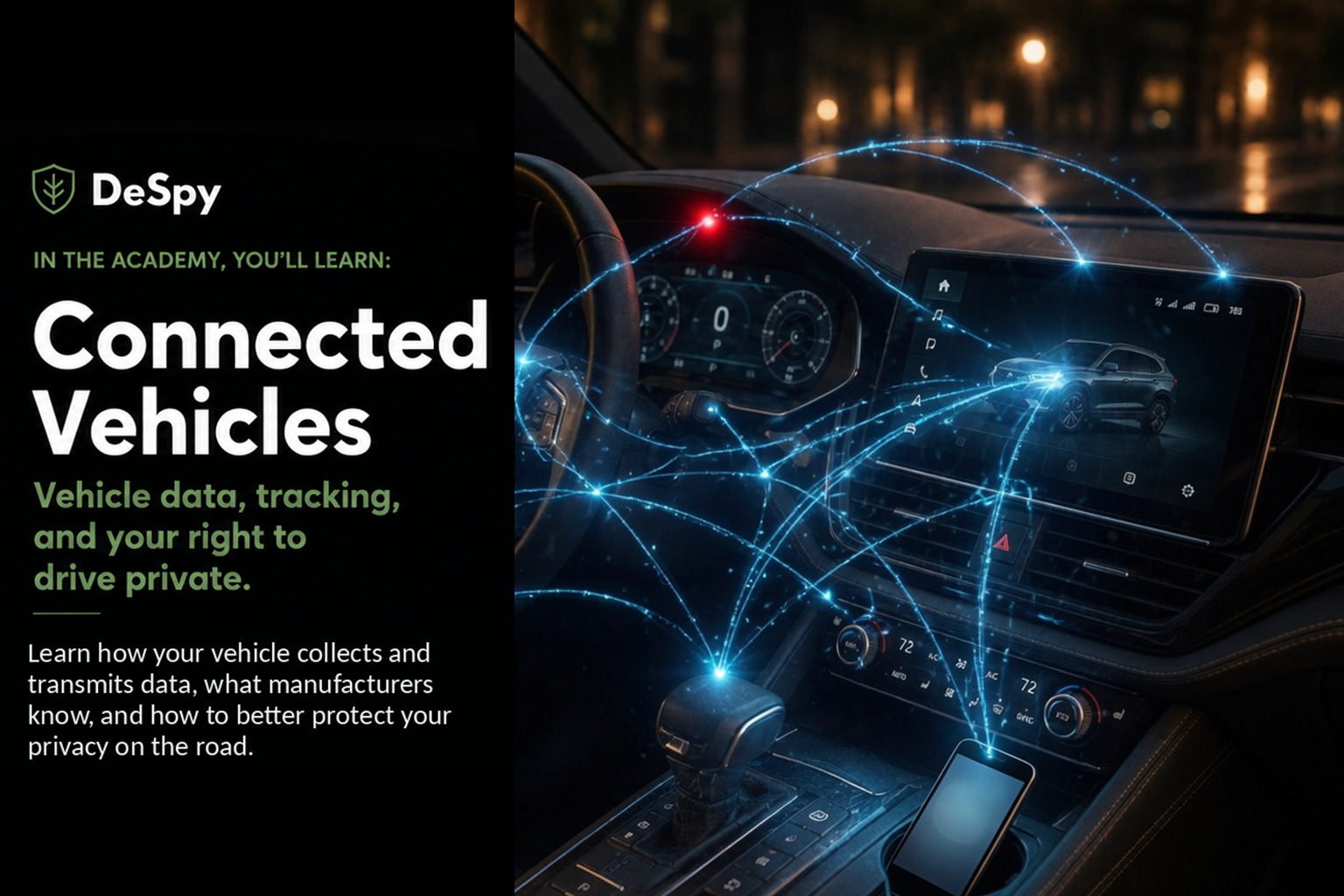
Connected Vehicles
Vehicle data, tracking, and your right to drive private.
Lesson 2 of 6 · Estimated read: 12 minutes · Level: everyone
A modern car is a computer network with wheels. It has more processors than your house, its own cellular connection, and a manufacturer relationship that continues long after you drive off the lot.
In 2023, Mozilla reviewed the privacy practices of 25 car brands for its Privacy Not Included guide. All 25 failed, the only product category where every single entrant flunked. Cars collect more than your phone does, share it more freely, and give you less control.
This lesson covers what’s actually being recorded, where it goes, and the specific steps that work.
In this lesson
- How your vehicle collects and transmits data
- Connected car privacy risks
- Location tracking & driving behavior
- Data sharing with manufacturers and third parties
- Protecting your privacy on the road
- Security, updates, and remote access
- Your rights & choices as a driver
1. How your vehicle collects and transmits data
The basics
Your car collects data through three separate systems that people tend to blur together:
- The telematics unit. A cellular modem built into the vehicle, with its own embedded SIM and its own data plan. This is what sends information to the manufacturer.
- The event data recorder (EDR). The “black box.” In the U.S., federal rules specify what it captures: roughly the last five seconds before a crash, including speed, throttle, braking, seatbelt status, and airbag deployment.
- The infotainment system. The touchscreen. It stores what you connect to it and where you’ve navigated.
Go deeper
- Sensor data goes well beyond driving. Depending on the vehicle: interior microphones for voice commands, cameras for driver-assistance and driver-attention monitoring, seat occupancy sensors, door and ignition events, wiper and headlight use, tire pressure, and cabin temperature.
- Driver-monitoring systems in hands-free driving modes use infrared cameras tracking your eyes and head position, continuously, while engaged.
- Over-the-air updates mean the data collected can change after you buy the car. The feature set isn’t fixed at purchase.
What most people don’t know
The car’s cellular connection is independent of your phone. Two consequences people find genuinely surprising.
First, deleting the manufacturer’s app, or never installing it, does not stop the vehicle from transmitting. The modem is in the car, and it reports whether or not you’ve ever opened an app.
Second, pairing your phone copies data into the vehicle’s storage. Contacts, call history, and in many cases text messages are stored on the head unit, where they persist. This is why rental cars and resold vehicles routinely contain previous drivers’ personal data. Consumer advocates have documented this repeatedly: people return a rental and leave their entire address book behind. Removing the Bluetooth pairing doesn’t necessarily remove the stored data; that generally requires a factory reset of the infotainment system.
Do this today
- If you’ve rented a car recently and paired your phone, you can’t fix that retroactively, but don’t pair next time. Use a car charger and a phone mount.
- In your own car, look under the infotainment settings for the paired-device list and stored data. See what’s there.
- Look up your vehicle at vehicleprivacyreport.com (free, run by the advocacy group Privacy4Cars). Enter your VIN and it reports what your specific make, model, and year is known to collect and share.
2. Connected car privacy risks
The basics
Vehicle data is unusually sensitive because location plus time reveals things no one volunteers: where you worship, which doctor you see, whose house you stayed at, whether you attended a protest, how you drive when you think no one’s watching.
Go deeper
- Mozilla’s review found that most brands reserved the right to share or sell data, and that very few offered drivers any way to delete it. The brands that did offer deletion were largely those operating under European law, which requires it.
- Some manufacturers’ privacy policies have claimed rights to remarkably broad categories of personal information, including, in reporting that drew wide attention, inferences about sexual activity and genetic information. Whether any company actually collects such things is a separate question from having granted itself permission to.
- Vehicle data shows up in litigation: divorce proceedings, insurance disputes, personal injury cases, and criminal investigations.
What most people don’t know
Connected car apps have become a tool in domestic abuse, and the account structure makes it hard to escape.
The manufacturer’s app can typically locate the vehicle, unlock it, start it, and review trip history. When a relationship ends, whoever controls the connected-services account retains those capabilities, even if the other person drives the car daily and holds the title. Journalists have documented cases where survivors were tracked this way for months, and found that transferring or removing an account often required navigating a customer service process that wasn’t built for the situation.
If this applies to you, the practical move is to contact the manufacturer’s connected-services line directly and ask specifically about removing all other authorized users and resetting the account tied to the VIN. Local domestic violence advocates increasingly know these procedures. The Safety Net project at the National Network to End Domestic Violence maintains guidance on vehicle technology.
Do this today
- Open your vehicle’s app and check the authorized user list. Remove anyone who shouldn’t be there.
- If you bought a used car, confirm the previous owner’s account is no longer linked. This is easy to miss and it means someone else may still be able to locate and unlock your vehicle.
3. Location tracking & driving behavior
The basics
Two distinct things get recorded. Location is where the car has been, often as a trip-by-trip log with timestamps. Behavior is how it was driven: hard braking, rapid acceleration, sharp cornering, speed relative to limits, seatbelt use, sometimes late-night driving as its own flagged category.
Go deeper
- Behavior data is generated by features often described in cheerful terms: driving scores, safety insights, coaching. The framing is self-improvement; the output is an underwriting file.
- Insurance telematics programs, the ones offering a discount for a dongle or an app, are genuinely voluntary and often genuinely save money. Read what happens to the data if you cancel.
- Your car doesn’t need to be connected to be tracked externally. Automated license plate reader networks photograph plates at scale, on police cruisers, on poles, in parking lots, at tolls, and pool them into searchable databases with retention measured in months or years. A 1998 pickup is subject to this exactly as much as a new EV.
What most people don’t know
Driving behavior data was flowing to insurers, and drivers found out because their premiums went up.
In 2024, reporting in The New York Times documented that General Motors had been sharing driving data, including hard braking and acceleration events and trip details, with LexisNexis Risk Solutions and Verisk, data brokers that in turn compiled it into reports sold to insurance companies. Drivers described being quoted higher rates or denied coverage without understanding why. Many said they had never knowingly enrolled; in some accounts the feature was activated during the dealership sales process.
The fallout: GM ended those data-sharing arrangements and later discontinued the driving-score program entirely. The Texas Attorney General sued GM. U.S. senators referred multiple automakers to the FTC. Class actions followed.
The lesson generalizes past GM. The mechanism, OEM to broker to insurer with consent buried in a dealership signature, is structural rather than one company’s mistake.
Do this today
- In your vehicle’s app and infotainment settings, find and disable anything called a driving score, safety insight, or driver coaching feature.
- Turn off location sharing in the app where it’s optional.
- Request your file from the major insurance data brokers. LexisNexis Risk Solutions and Verisk are both required under federal fair-credit law to give you a free copy of the consumer file they hold on you, and LexisNexis provides a telematics-specific disclosure. If driving data was used to price your insurance, this is how you see it.
4. Data sharing with manufacturers and third parties
The basics
Data leaves your vehicle along more paths than most drivers picture: to the manufacturer, to its corporate affiliates, to analytics and mapping vendors, to dealerships, to data brokers, and to whoever those brokers sell to.
Go deeper
- An entire industry exists to aggregate and resell vehicle data streams across brands. Companies in this space license data from manufacturers and offer it onward to fleets, insurers, advertisers, city planners, and researchers.
- Connected-services free trials frequently convert into ongoing data collection whether or not you keep paying for the features.
- Law enforcement requests go to manufacturers directly. Policies vary on whether a warrant is required.
What most people don’t know
There is off-the-shelf forensic hardware for extracting your car’s memory, and it isn’t restricted to police.
Vehicle forensics tools, the best-known being Berla’s iVe system, connect to a car’s infotainment and telematics modules and extract stored data: location history and trip logs, paired device identifiers, contacts and call logs pulled from phones, door and ignition events, sometimes even track names. Investigators use it to reconstruct where a vehicle went and who was in it, and it’s marketed to police, private investigators, and insurance investigators.
The security-professional insight here: your car is a device with unencrypted local storage and a physical access port, and the tooling to image it is commercially mature. If you think about disk encryption on your laptop, your vehicle’s infotainment module is a comparable data store with none of the protection.
Do this today
- Before you sell, trade in, or return a leased vehicle, perform a factory reset of the infotainment system. Look for “master reset,” “reset to factory defaults,” or similar. This is the single most-skipped step in the entire lesson.
- Also deauthorize the vehicle from your manufacturer account, and remove the VIN from your app.
- Check whether you’re in a connected-services trial and what happens to data collection when it ends.
5. Protecting your privacy on the road
The basics
You can’t unplug a modern car’s modem without consequences, since it typically also powers emergency crash notification. So the realistic strategy is limiting what you feed it and controlling the accounts around it.
Go deeper
- Don’t pair your phone over Bluetooth if you’re privacy-conscious. Use a mount and a charging cable, or Bluetooth audio only without granting contact access. Many systems ask separately for contacts and messages, and you can decline those while keeping hands-free calling.
- CarPlay and Android Auto keep more data on your phone than the vehicle’s native apps do, since the car acts largely as a display. If you’re choosing between the manufacturer’s built-in navigation and projecting from your phone, projection generally means the OEM sees less.
- Decline optional data collection at the dealership. Ask explicitly: what connected services are you enrolling me in, and can I decline? Get it in writing on the paperwork.
- Aftermarket devices you plugged in yourself, like insurance dongles, OBD-II trackers, and some parental monitoring tools, can be unplugged.
What most people don’t know
Rental and shared vehicles are the highest-risk category, and almost no one resets them.
A rental car’s infotainment often holds a stack of previous drivers’ contact lists, phone numbers, and navigation history. When you pair, yours joins the pile and stays after you return the keys. The same applies to car-sharing services, loaners from the dealership, and any vehicle you drive for a few days.
Fixing it is quick if you know where to look: before returning the vehicle, go into Bluetooth settings, delete your device, and if the system offers a factory reset, use it. And take one look at what’s already stored. Seeing three strangers’ address books in a rental Nissan is the kind of thing that changes behavior permanently.
Do this today
- Adopt one habit: never pair a phone with a car you don’t own.
- In your own vehicle, decide whether the infotainment needs your contacts at all. Most people can revoke that and lose nothing they use.
6. Security, updates, and remote access
The basics
A connected car is remotely reachable, which means it has an attack surface. Install updates. Over-the-air updates are how manufacturers close the holes, and declining them leaves known vulnerabilities in place.
Go deeper
- Remote vehicle compromise has been demonstrated repeatedly. The landmark case, in 2015, showed researchers taking control of a Jeep Cherokee’s steering, brakes, and transmission remotely through its infotainment connection, prompting the recall of roughly 1.4 million vehicles.
- More recently, security researchers have found flaws in automakers’ web portals and APIs rather than the cars themselves, in several cases allowing an attacker to locate, unlock, and start vehicles knowing only a VIN or a license plate. These were reported and fixed, but the pattern recurs across brands because the weak point is the cloud service, not the vehicle.
- Physical theft has gone digital. Relay attacks amplify your key fob’s signal from inside your house to unlock and start a car in the driveway. CAN injection attacks let thieves splice into wiring, sometimes through a headlight housing, and command the car to unlock. A Faraday pouch for your keys costs about $10 and defeats the relay attack.
What most people don’t know
Your manufacturer app account is, functionally, a spare key.
Whoever holds those credentials can locate the vehicle, unlock it, and in many models start it. That makes your car’s security dependent on the same password hygiene as your email, and most people have never thought of it in those terms.
This is also the used-car gap. When ownership changes, the digital relationship often doesn’t cleanly transfer. A previous owner whose account was never unlinked may retain remote access to a car that is no longer theirs, indefinitely, without doing anything wrong or even realizing it.
Do this today
- Put a unique, strong password on your vehicle account and turn on two-factor authentication if offered.
- Review the account’s authorized devices and users.
- Keep keys in a Faraday pouch, or at minimum away from exterior doors and windows.
- Let over-the-air updates install.
7. Your rights & choices as a driver
The basics
In the U.S. there’s no comprehensive federal vehicle privacy law. What you have is a patchwork: state consumer privacy laws, federal fair-credit rules that apply when data affects your insurance or credit, and whatever the manufacturer’s own policy grants.
Go deeper
- Roughly twenty states now have comprehensive privacy laws giving residents rights to know what’s collected, request deletion, and opt out of sale or sharing. Manufacturers operating nationally generally maintain a privacy request portal. Search “[brand] privacy request” or “[brand] do not sell my personal information.”
- Under European law, drivers have stronger access and deletion rights, which is why the brands that scored least badly in Mozilla’s review were the ones subject to it.
- Vehicle data ownership remains legally murky in the U.S. You own the car. Who owns its output is unsettled, and manufacturers’ terms generally assert a broad license.
What most people don’t know
If driving data affected your insurance, federal law is on your side in a specific and useful way.
When a company uses a consumer report to raise your rate or deny you coverage, the federal Fair Credit Reporting Act gives you two things: the right to be told (an adverse action notice) and the right to see the file. The brokers compiling driving behavior into insurance reports are consumer reporting agencies for this purpose, which means you can demand your file for free, once a year, and dispute inaccuracies in it.
Most drivers affected by the telematics-to-insurer pipeline never invoked this, because they didn’t know the report existed. Requesting your file is the closest thing to an audit log for your own driving history.
Do this today
- Submit a privacy request to your manufacturer: ask what they hold, and request deletion and opt-out of sale.
- Request your consumer file from LexisNexis Risk Solutions and Verisk.
- If you’re shopping for a car, ask about data practices before you buy. It’s currently the only leverage that reaches the people making these decisions.
Recap
- Your car transmits through its own cellular modem, independent of your phone or any app.
- Pairing a phone copies contacts and messages into the vehicle, where they persist until a factory reset.
- Driving behavior data has already reached insurers through data brokers, raising real people’s premiums.
- License plate reader networks track vehicles regardless of whether the vehicle is connected.
- Commercial forensic tools can extract a car’s stored location and device history.
- Your manufacturer app account functions as a spare key; secure it accordingly.
- Two actions carry the most weight: factory reset before selling or returning any vehicle, and never pair your phone with a car you don’t own.
Key terms
- Telematics: the vehicle’s built-in cellular system for transmitting data to the manufacturer.
- EDR (event data recorder): the crash “black box,” capturing seconds before an impact.
- Infotainment head unit: the touchscreen system, and a local data store holding paired-phone data and navigation history.
- Driving score / telematics behavior data: records of braking, acceleration, and speed, used in insurance underwriting.
- ALPR: automated license plate reader; external tracking that doesn’t require a connected car.
- Vehicle forensics: commercial tooling that extracts stored data from a car’s modules.
- Consumer reporting agency: a company whose reports affect your insurance or credit, and which owes you access to your file.
Check your understanding
1. You never installed your car’s app. Is your vehicle transmitting data to the manufacturer? Almost certainly yes. The cellular modem is built into the car and operates independently of any app you install or skip.
2. You’re returning a rental car tomorrow. You paired your phone on day one. What should you do? Delete your device from the car’s Bluetooth list and run a factory reset of the infotainment system if the option exists. Your contacts and call history are stored on the vehicle, not just linked to it.
3. Your insurance premium jumped and you suspect driving data was involved. What are you entitled to? An explanation, and a free copy of the consumer file used to make that decision. Request your file from the data brokers compiling driving behavior. Under federal fair-credit law, you can see it and dispute errors.
Next lesson: AI & Digital Identity — digital twins, AI profiling, facial recognition, and more.