The one-sentence version
A VPN moves who can see your traffic. It doesn’t erase that visibility, and it does nothing at all against threats that already live on your device or in your accounts.
What actually changes
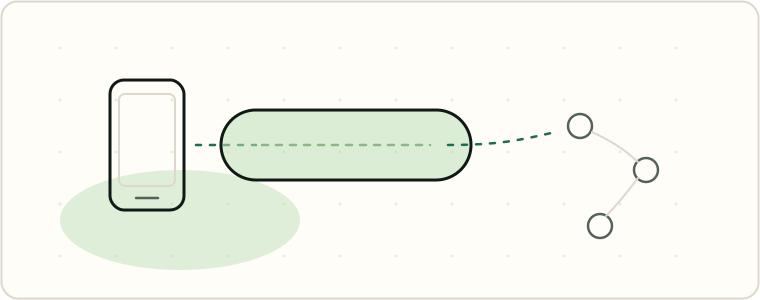
When you turn on a VPN, your device builds an encrypted tunnel to the VPN provider’s server before your traffic goes anywhere else. EFF’s Surveillance Self-Defense guide describes the effect plainly: a VPN “hides your outgoing traffic from your ISP and the local network owner (like a coffee shop or hotel).” That means the person who controls the Wi-Fi you’re on — a partner, a landlord, a café — stops seeing which domains you visit. For the mechanics of what a network owner normally sees without a VPN, see What the Wi-Fi owner can see.
That’s a real, specific protection, and it’s not the only one: EFF also notes that a VPN masks your IP address, which “can be an important tool for protecting your privacy, since your IP address provides an indication of your general location and can therefore be used to identify you,” and that from a website’s point of view, “it appears your location is wherever the VPN server is.” (EFF) But the protection set stops there. A VPN doesn’t make you anonymous, doesn’t hide your activity from the sites and apps you’re logged into, and doesn’t reach anything already running on your phone.
What doesn’t change
Stalkerware on the device sees everything, tunnel or not. A VPN protects traffic in transit between your device and the VPN server. It has no effect on software already running on the phone itself, which can read the screen, log keystrokes, or capture messages before encryption ever applies. If you’re worried about monitoring software already on your phone, a VPN isn’t the tool — see What is stalkerware?
Logged-in accounts still know it’s you. A VPN can mask your IP address from a website, but the moment you sign into Google, Instagram, or your bank, that account ties your activity to you regardless of which server your traffic is routed through. Advertising networks also build profiles from account logins, device signals, and cross-app tracking IDs that a VPN doesn’t touch — see Advertising IDs.
The VPN provider sees your traffic instead. This is the part marketing pages tend to skip. EFF is direct about it: “A VPN would potentially protect this metadata from someone listening in on a local network, but the VPN provider itself would see it all.” The same guide adds that a VPN “is not a tool for anonymity,” and on a corporate VPN specifically, “whoever runs the corporate network will see your traffic. If you are using a commercial VPN, whoever runs the service will see your traffic.” (EFF) A VPN doesn’t remove trust from the equation. It relocates it — from your ISP or the café Wi-Fi to a company you’ve likely never audited yourself.
EFF’s own advice on choosing a VPN reflects that shift in trust: it tells users to scrutinize a provider’s no-logging claims, business model, and reputation, warning that “a claim is not a guarantee” and that “any VPN that makes impossible claims may not be trustworthy in other areas.” (EFF)
What the FTC has actually said
There’s no broad FTC rule requiring VPN providers to prove specific privacy claims, but the agency has weighed in twice in ways worth knowing.
First, general advertising law: the FTC’s advertising substantiation policy requires that “advertisers and ad agencies have a reasonable basis for advertising claims before they are disseminated,” and that failing to have that basis for objective claims “constitutes an unfair and deceptive act or practice” under the FTC Act. That standard applies to any company selling a privacy product — including a VPN that claims “100% anonymous” or “military-grade” protection without evidence behind it.
Second, the FTC has spoken directly about VPN apps. In a 2018 press release, the agency laid out consumer tips for evaluating a VPN app before trusting it: “researching the app before you obtain it, reviewing the app’s permission requests, ensuring that the app encrypts your information, and checking to see if the app shares your information with third parties.” That’s a due-diligence checklist, not a guarantee — the agency was telling consumers to verify claims themselves, not vouching for any specific VPN.
The free-VPN problem, with numbers
Running VPN servers costs money, so if a VPN is free, it’s reasonable to ask what’s paying for it instead of your subscription fee. Peer-reviewed research on Android VPN apps has repeatedly found that, for a substantial share of tested apps, the answer is the app itself becomes the thing doing the tracking.
The most recent large-scale audit, presented at the 2026 Network and Distributed System Security (NDSS) Symposium by researchers from the University of Michigan and the University of New Mexico, tested “281 operational free VPN apps from the Google Play Store” using a new auditing framework called MVPNalyzer. The paper’s abstract reports: “61 apps transmit unencrypted data, with 5 sending sensitive VPN configuration files in cleartext, allowing an attacker to hijack the VPN tunnel connection; 29 apps leak user traffic (including DNS) outside the tunnel; 169 apps fail to obfuscate the traffic to avoid trivial blocking; 76 apps transmit Advertising ID, the device-unique ID widely used for device and user tracking; and 107 apps fail to implement the best security practices in their VPN configuration files.” The researchers describe this as a “critical ‘transfer of trust’ from… network intermediaries to VPN providers” that mobile VPN apps have not been adequately audited against, and note that the 281 tested apps, collectively, “have hundreds of millions of installs.”
That 2026 study echoes an earlier one. A widely cited peer-reviewed IMC 2016 study from CSIRO’s Data61 analyzed 283 Android VPN apps and found that “67% of the identified VPN Android apps offer services to enhance online privacy and security,” while “over 38%” of the analyzed apps “contain some malware presence according to VirusTotal,” “18% of the VPN apps implement tunneling protocols without encryption,” “approximately 84% and 66% of the analyzed VPN apps do not tunnel IPv6 and DNS traffic through the tunnel interface,” and 67% of the VPN apps “embed at least one third-party tracking library.” The paper doesn’t claim that a majority of all 283 apps did the opposite of what they advertised — the defect rates and the claim rate are separate findings, not a single combined number — but for the specific IPv6/DNS leak problem, the researchers checked the overlap directly: “94% of the IPv6 and DNS leaking apps claim to provide privacy protection.”
Neither study says every free VPN is malicious, and neither certifies any specific paid VPN — audits test what existed at the time they ran, not every app on the market today. The 2016 study also tested some premium apps alongside free ones; on tracking libraries, free apps fared worse: “65% of the premium VPN apps do not have any tracking library embedded (as opposed to only 28% of the free VPN apps).” The pattern across nearly a decade of research is consistent: a VPN’s marketing claims and its measured behavior are two different things, and “free” was a meaningful risk signal in both studies, not a neutral one.
When a VPN genuinely helps
A VPN is a reasonable tool when your actual concern is the network you’re on: a hotel or airport Wi-Fi, a café hotspot, or a shared home network where you don’t control the router and don’t want the domains you visit showing up in whoever’s logs. In that specific case, a VPN that’s correctly configured — and reputable, audited providers are a better bet than an unknown free app — is built to keep the local network owner from seeing which sites you’re reaching. But as the research above shows, that’s a design goal, not a guarantee: a leaking or poorly implemented VPN app can fail at exactly this job, and an audit is a point-in-time check, not a lifetime warranty.
It’s the wrong tool if your concern is a device that might already have monitoring software on it, an account someone else can log into, or a household where installing a new app could itself be noticed. In a monitored-household situation, a new VPN icon on your home screen, a spike in encrypted traffic in a router’s log, or a subscription charge on a shared bank statement can all be visible signs that something changed — sometimes more visible than the browsing it was meant to hide. If that’s your situation, read Safety first: before you remove anything before installing, changing, or removing anything, including a VPN.
The honest summary: a VPN is a tool for one specific kind of exposure — your local network and ISP. It was never built to fight the other two kinds this site is mostly about, a device that’s already compromised or a person who already has your passwords.